PROCRUSTEAN BED / v0.1.0
AVAILABLE SOON FOR WINDOWS
Compress or expand MIDI timing relationships and shorten excessive note tails in one controlled offline pass. Get a separate, editable MIDI file back.
 ISAIEV MIDI TOOLS
Offline MIDI performance tools for composers
Turn flat, uniform MIDI into structured, expressive, fully editable performances — without generating new music or surrendering control.
Existing MIDI in. Controlled transformation. Concrete editable MIDI out.
Windows standalone · Offline processing ·Editable MIDI output · No telemetry
A MIDI part can contain the right notes, chords, rhythm, and structure — and still feel flat when every event is treated the same. ISAIEV MIDI TOOLS keeps the musical material and shapes the missing performance layer.
Not new music. A more musical performance of the MIDI you already have.
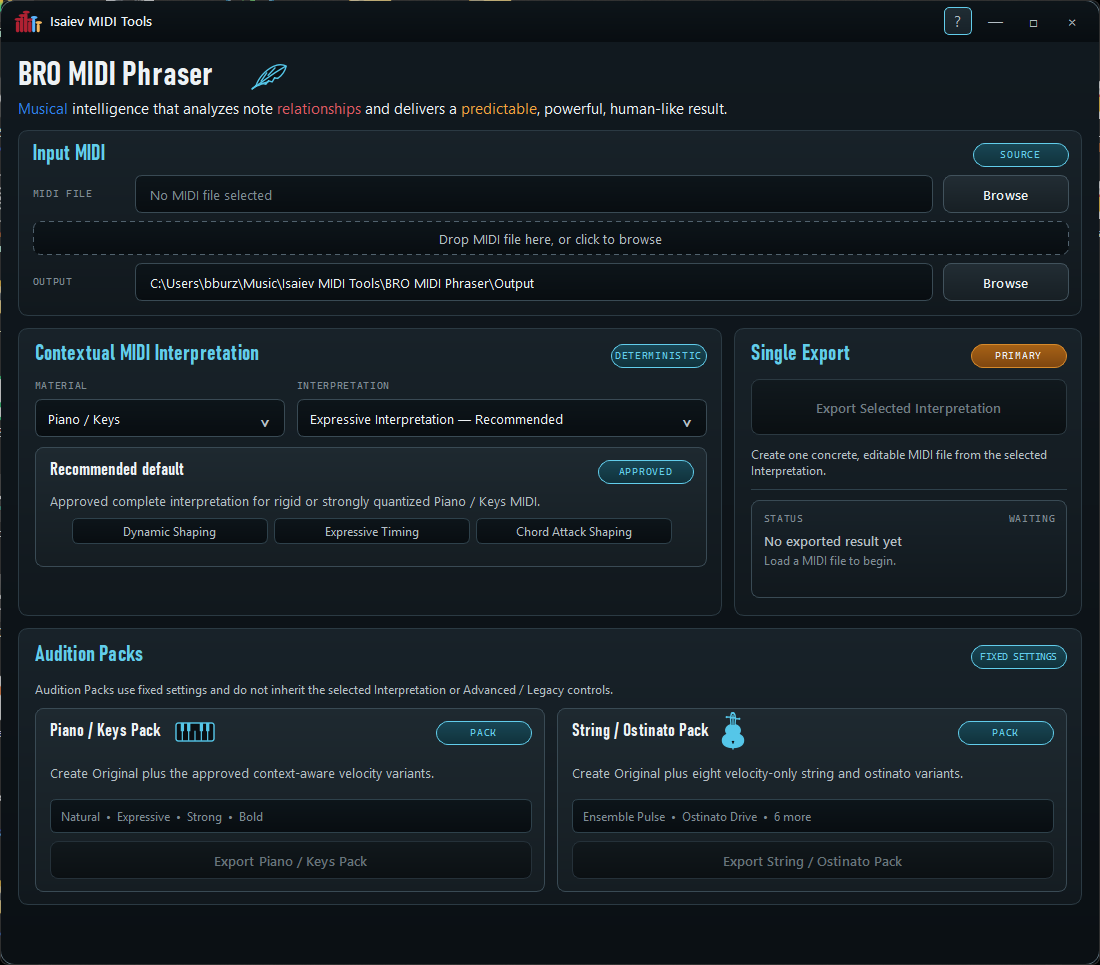
01 / BRO MIDI Phraser
Windows standalone · Complete
Load an existing piano, keyboard, bass, chordal, or string MIDI part whose notes and rhythm are already right but whose performance is flat. BRO MIDI Phraser shapes phrase contour, dynamic emphasis, chord attack, and expressive timing, then returns one concrete editable MIDI file.
The performance layer
The composition and musical identity remain yours.
Phraser builds one structured, fully editable interpretation.
One concrete, editable MIDI file.Same input + settings = same result.
A simple example
A flat arpeggio goes in. The same notes come back with audible phrasing and a shaped dynamic contour.
Windows standalone
NOT CURRENTLY FOR SALE
Windows standalone · Dynamics · Chord attack · Expressive timing · Editable MIDI
Not a phrase generator. Not random humanization.
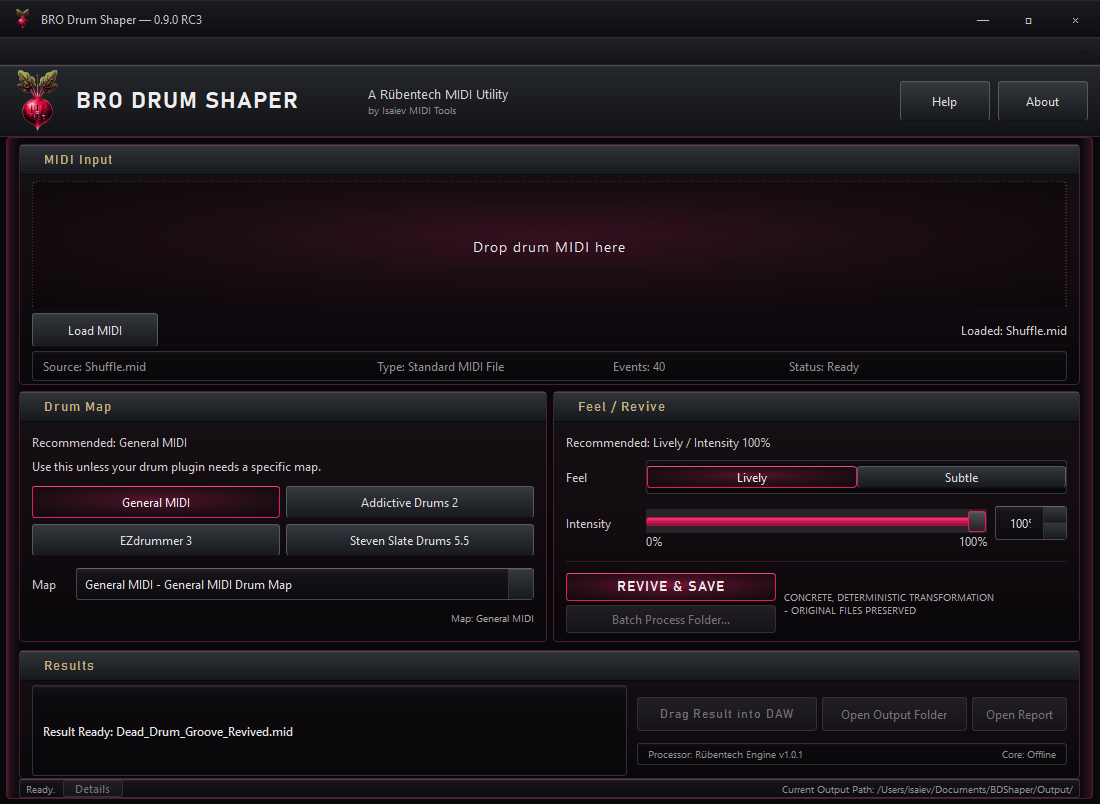
02 / BRO Drum Shaper
A RÜBENTECH MIDI Utilityby ISAIEV MIDI TOOLS
RC3 · Invited Windows Beta
Load an existing drum MIDI part with flat or crude velocities. BRO Drum Shaper treats kicks, snares, hats, cymbals, and toms according to their musical roles, builds a hierarchy of strong, weak, and supporting hits, and returns an editable MIDI file.

Different drum roles are not identical hits.
BRO Drum Shaper reads the roles inside the existing drum part and builds a musical hierarchy of strong, weak, and supporting hits.
Lively
Builds a more pronounced performance structure from flat or simple MIDI.
Subtle
Preserves useful existing dynamics while applying a restrained shaping pass.
General MIDI RC3 · Lively + Subtle · Adjustable intensity · Editable MIDI · Installer + Portable
Text report included with the MIDI result.
Closed beta
BRO Drum Shaper is currently available through a small invited Windows beta. The prerelease package is not available as a public download.
RC3 currently uses the General MIDI drum interpretation.
Not a groove generator. Not a sampler. Not random hit variation.
03 / PROCRUSTEAN BED
MIDI Time & Note Restraint Utility
AVAILABLE SOON · v0.1.0 · WINDOWS
Windows standalone
Controlled offline MIDI transformation utility.
Procrustean Bed is an offline MIDI utility for deliberately compressing or expanding timing relationships and shortening excessive note lengths.
Load existing MIDI, choose one focused transformation, and get a separate editable MIDI file back.
PROCRUSTEAN BED / v0.1.0
AVAILABLE SOON FOR WINDOWS
Compress or expand MIDI timing relationships and shorten excessive note tails in one controlled offline pass. Get a separate, editable MIDI file back.
Windows standalone
NOT CURRENTLY FOR SALE
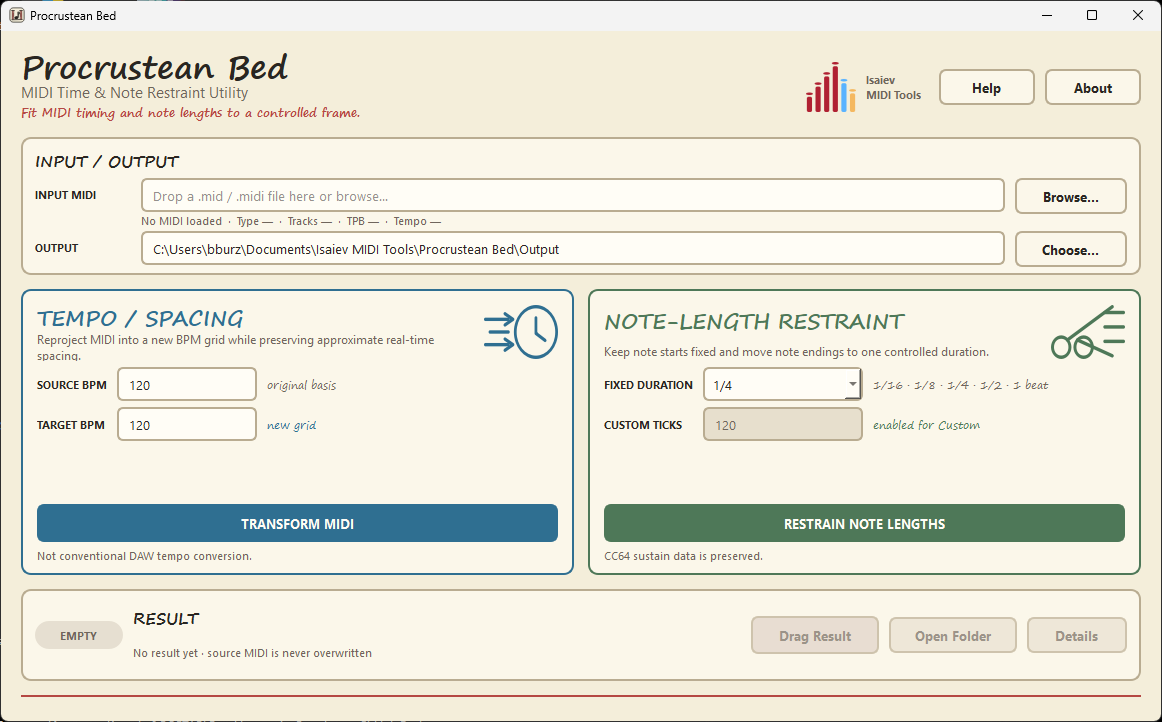
OFFICIAL PRODUCT VIEW
Windows standalone MIDI utility for timing transformation and note-length restraint. Load existing MIDI, apply one focused transformation, and get a separate editable MIDI result.
01 / FOCUSED TRANSFORM
Reshape the temporal spacing of an existing MIDI performance using an explicit Source BPM / Target BPM relationship.
Compress the spacing when the material needs to become tighter. Expand it when the same relationships need more room.
This is not conventional quantization. Procrustean Bed transforms the existing timing relationships deterministically rather than snapping a performance to a new rhythmic grid.
02 / FOCUSED TRANSFORM
Shorten excessively long MIDI notes and note tails in one controlled pass.
This is especially useful with sustain-pedal piano recordings, where long overlapping notes can turn the Piano Roll into a difficult-to-edit forest of MIDI events.
The result is a cleaner, more manageable MIDI representation while the original source file remains untouched.
VISUAL MIDI GEOMETRY / 01
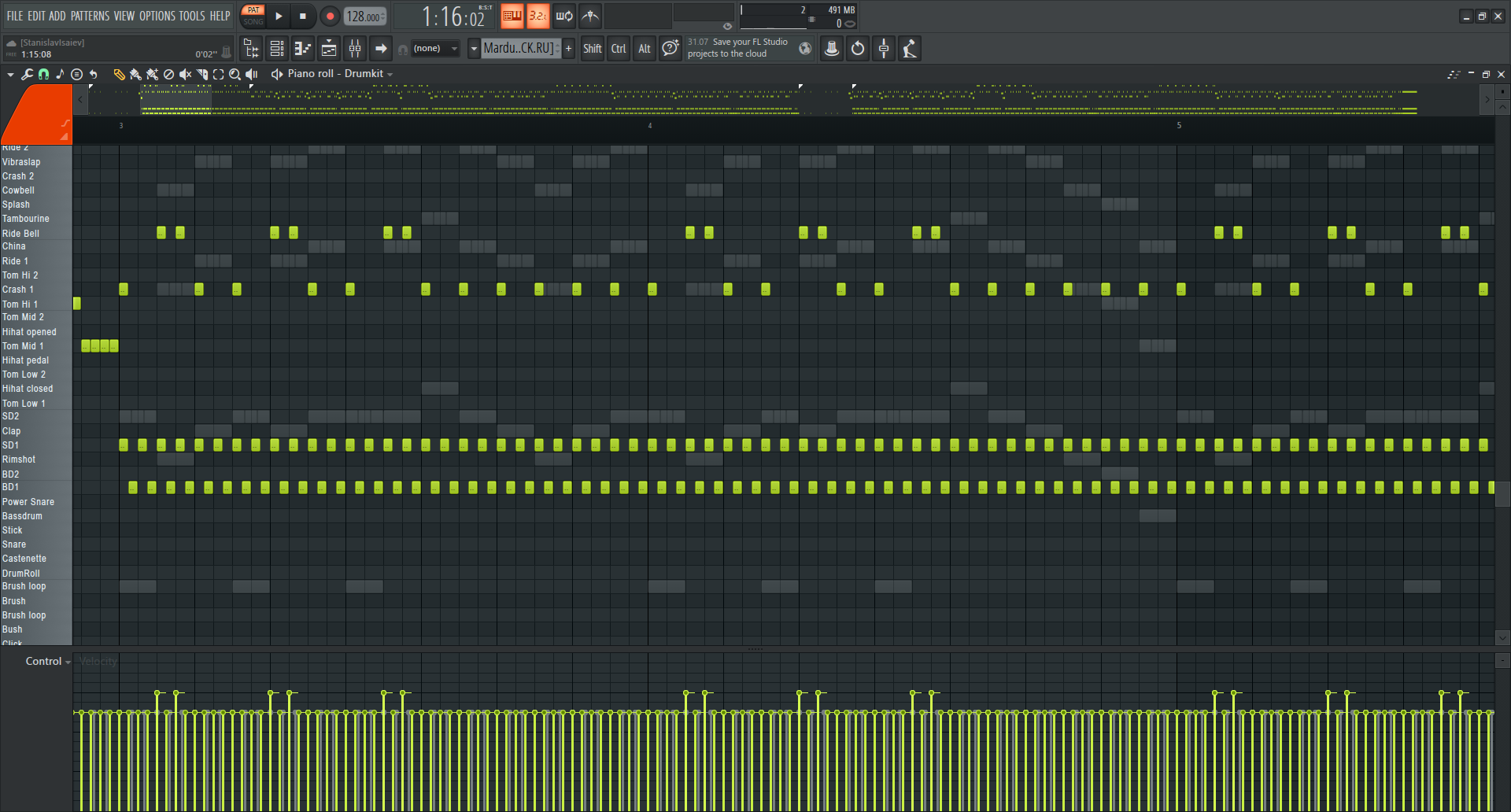
Source MIDI before timing transformation. The musical material is already there, but the spacing relationships may not suit the intended use.
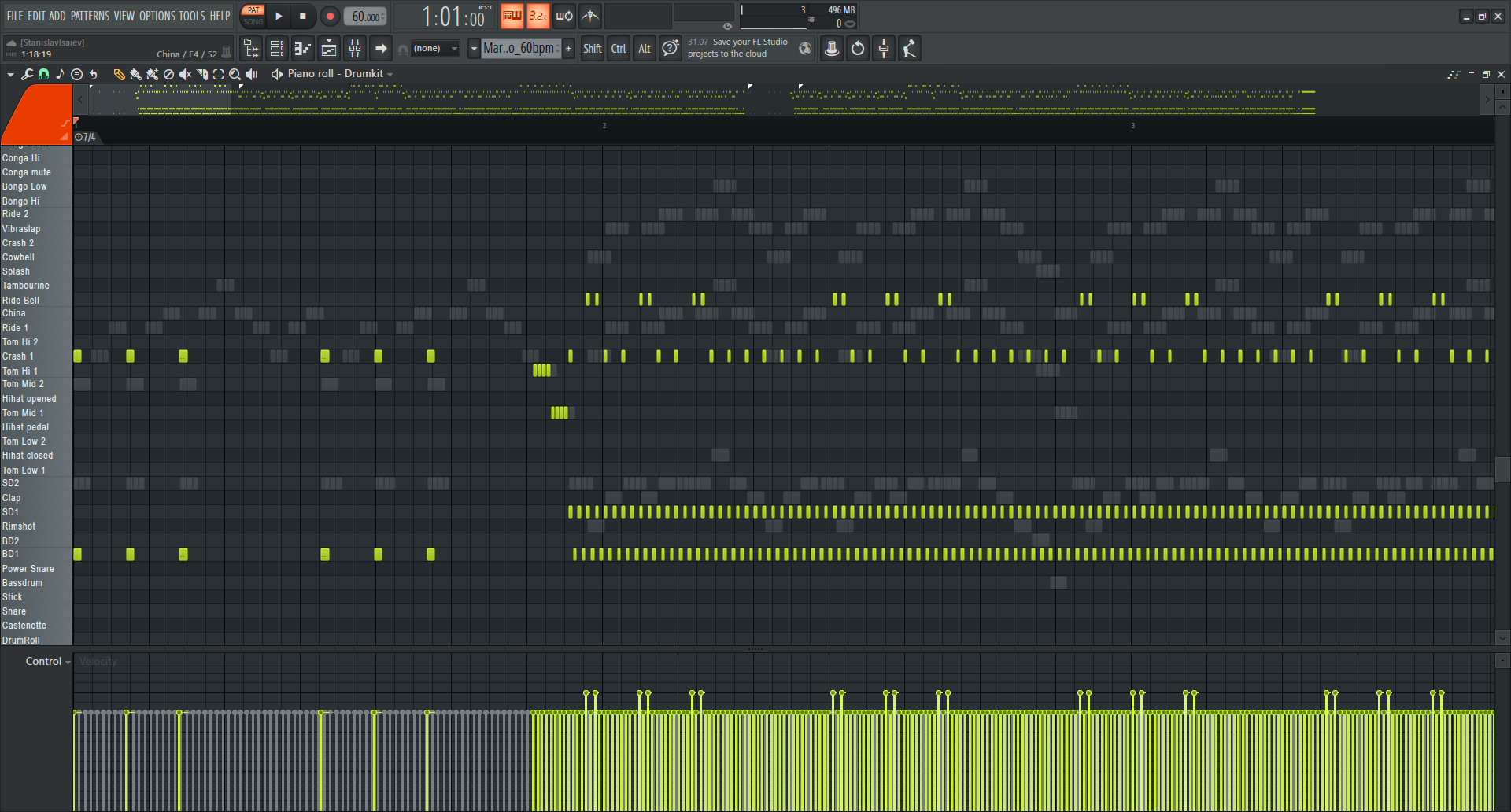
The same MIDI after controlled timing transformation. Example shown: source timing transformed from 128 BPM to 60 BPM. The utility can also work in the opposite direction.
Same MIDI material. Deliberately transformed temporal spacing. Concrete editable MIDI out.
VISUAL MIDI GEOMETRY / 02
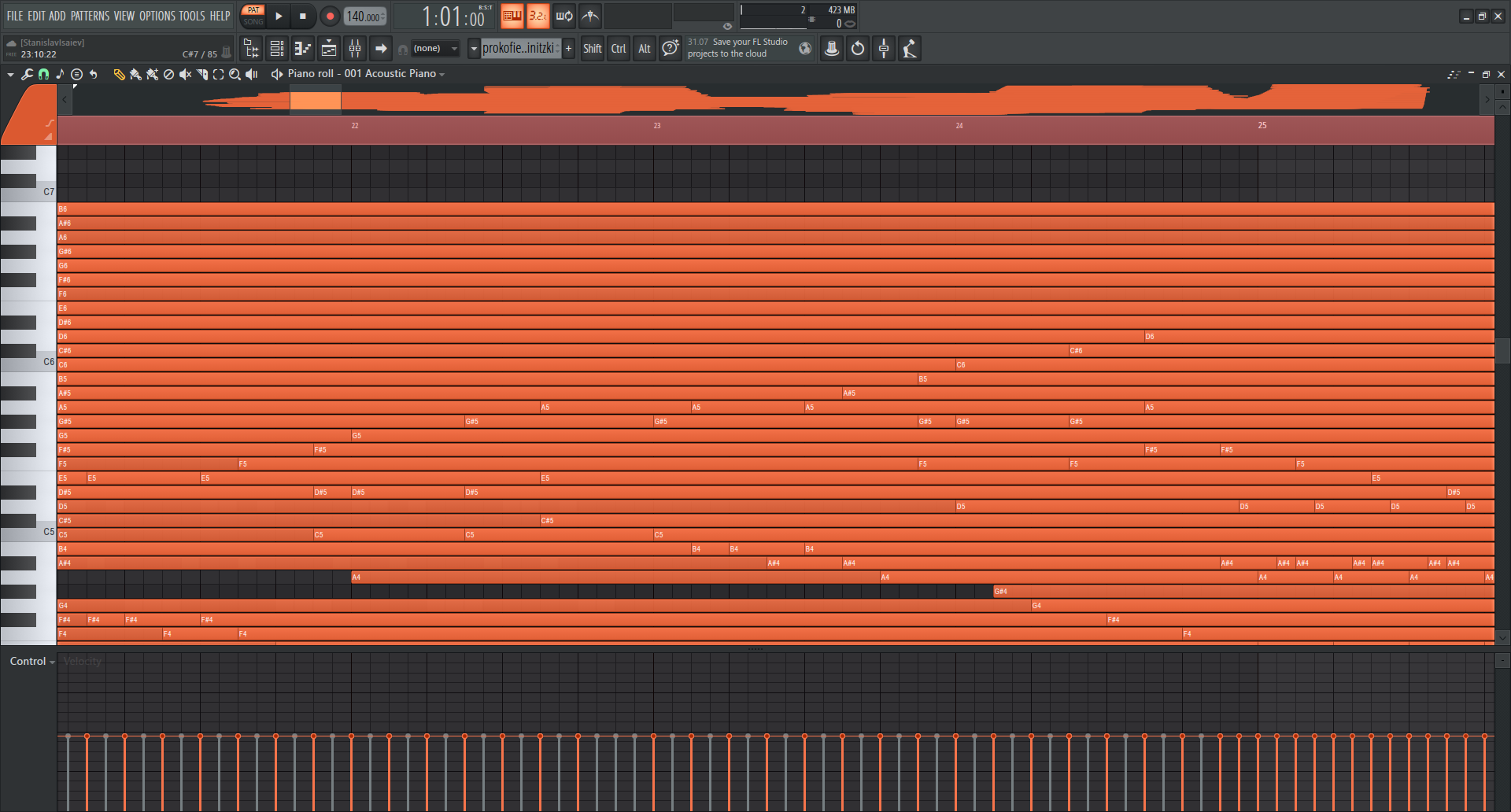
A dense Piano Roll with excessively long overlapping note tails — a common result of pedal-recorded piano MIDI or other overextended note material.
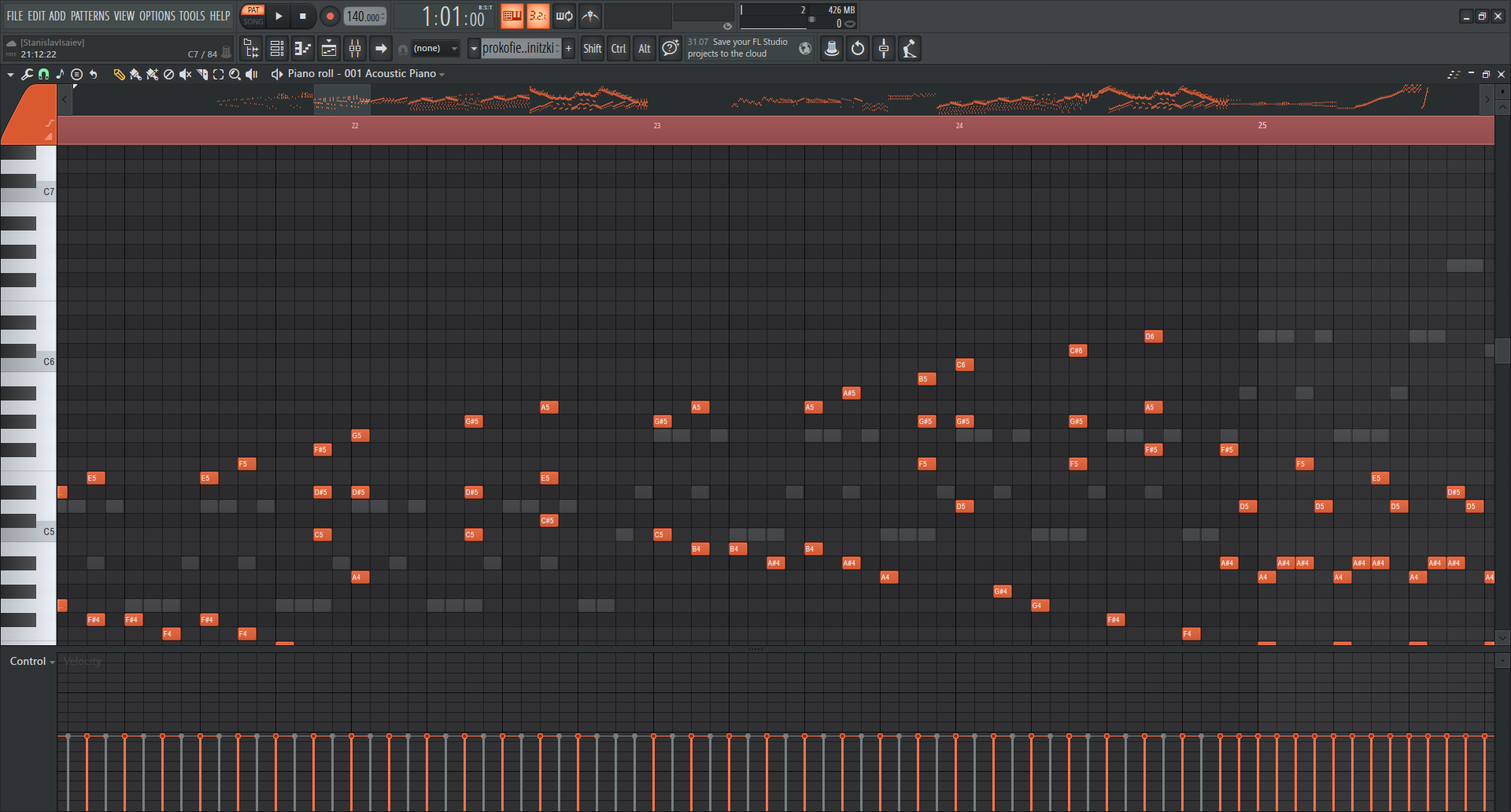
The same MIDI after note-length restraint. Note starts remain fixed while excessive note tails are shortened into a cleaner, more manageable Piano Roll structure.
Same musical material. Fixed note starts. Controlled note endings.
Especially useful for pedal-recorded piano cleanup and MIDI that would otherwise require repetitive manual note trimming.
USE CASE 01
A recorded piano performance may sound musically correct while its Piano Roll contains huge overlapping note tails.
Instead of manually shortening dozens or hundreds of notes, apply Note-Length Restraint once and return a cleaner editable MIDI file to the DAW.
USE CASE 02
Existing MIDI can contain exactly the musical material you want while its temporal spacing does not fit the intended context.
Use a deliberate Source BPM / Target BPM transformation to tighten or widen those relationships without manually repositioning every MIDI event.
DELIBERATE BY DESIGN
Procrustean Bed does not generate another performance and does not continuously randomize incoming MIDI.
You choose one deliberate transformation, process it once, and receive one concrete MIDI result.
WORKFLOW
Existing MIDI
Timing / Spacing or Note-Length Restraint
Drag the editable MIDI result back into the DAW
Existing MIDI in. Controlled transformation. Concrete editable MIDI out.
AVAILABILITY
C / PRACTICAL USE
Existing MIDI material.
Choose the relevant tool, context, or mode.
One concrete editable MIDI result.
Drag the file back into the DAW and continue working.
Offline processing · No telemetry · One concrete MIDI file at a time
D / CURRENT RELEASE
ISAIEV MIDI TOOLS is currently in a private pre-release stage.
Now
BRO MIDI Phraser — complete Windows standalone build.
BRO Drum Shaper — RC3 invited Windows beta.
PROCRUSTEAN BED — v0.1.0 Windows standalone utility.
Limited
No VST release yet.
No public download page yet.
Access is currently limited and personal.
Later
Broader testing and public release information will follow as the tools are prepared.
E / PERFORMANCE EVIDENCE
A continuous screen-recorded demonstration of the complete workflow: flat MIDI input, controlled offline processing, and a concrete editable MIDI result returned to the DAW.
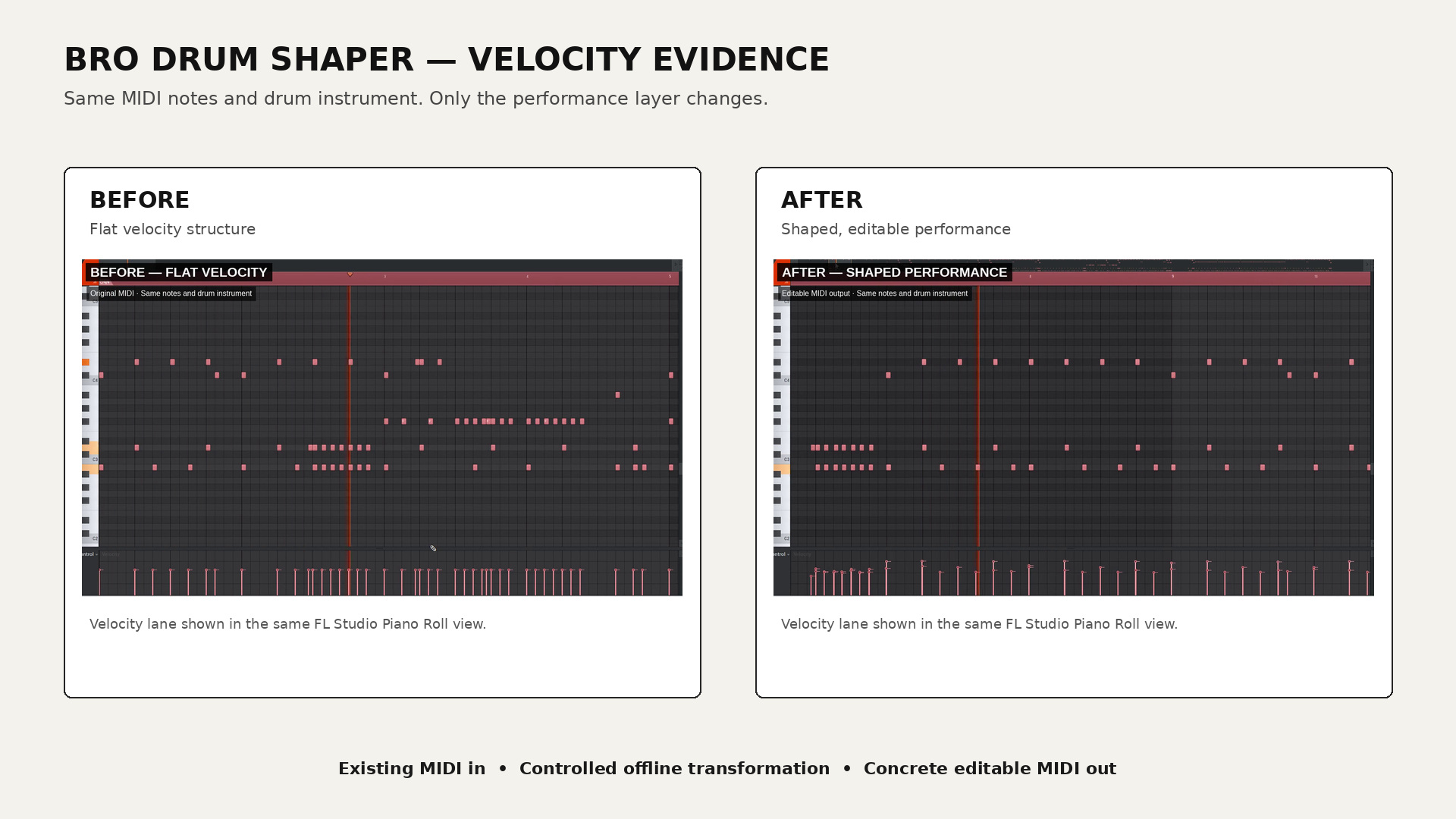
The transformation is applied once, with explicit user-defined settings.
The change can be heard without changing the drum instrument, tempo, or mix.
The result is returned as a concrete MIDI file, not a realtime random performance.
F / CLOSED BETA TESTING
Bro Drum Shaper 0.9.0 RC3 is currently distributed as a small invitation-based Windows beta.
Approved testers receive a complete standalone test package with both Installer and Portable editions, documentation, a structured checklist, and a feedback form.
Bro Drum Shaper 0.9.0 RC3
Use a real drum passage — ideally 8–16 bars — and compare the original MIDI with the processed result.
Test musical usefulness, drag-and-drop behavior, saved MIDI output, repeated use, and how clearly the application explains itself without developer assistance.
Tell us what DAW and Windows version you used, what drum library or MIDI workflow you tested, what worked, what felt unclear, and whether the musical result was useful.
For reproducible problems, include the steps required to reproduce the issue.
The beta package is distributed privately to approved testers only.
This is an unsigned private release-candidate build. Windows SmartScreen may display a warning. The beta package must not be redistributed.
The standalone beta does not require an account, cloud connection, telemetry, or an online service to process MIDI.
G / CLOSED BETA CONTACT
ISAIEV MIDI TOOLS is currently running a small, invitation-based Windows beta. There is no public download page. If the workflow is relevant to your music, send a short request describing what you would like to test.
The goal is practical musical feedback from composers, producers, and MIDI users — not promotion, endorsement, or a public review.
Please include your DAW, Windows version, main MIDI workflow, primary virtual instruments or drum libraries, musical style, and the product you are interested in.
REQUEST BETA ACCESSOpens your email application. No website account or submission form is required.
H / FAQ
Keep the composition. Shape the performance.